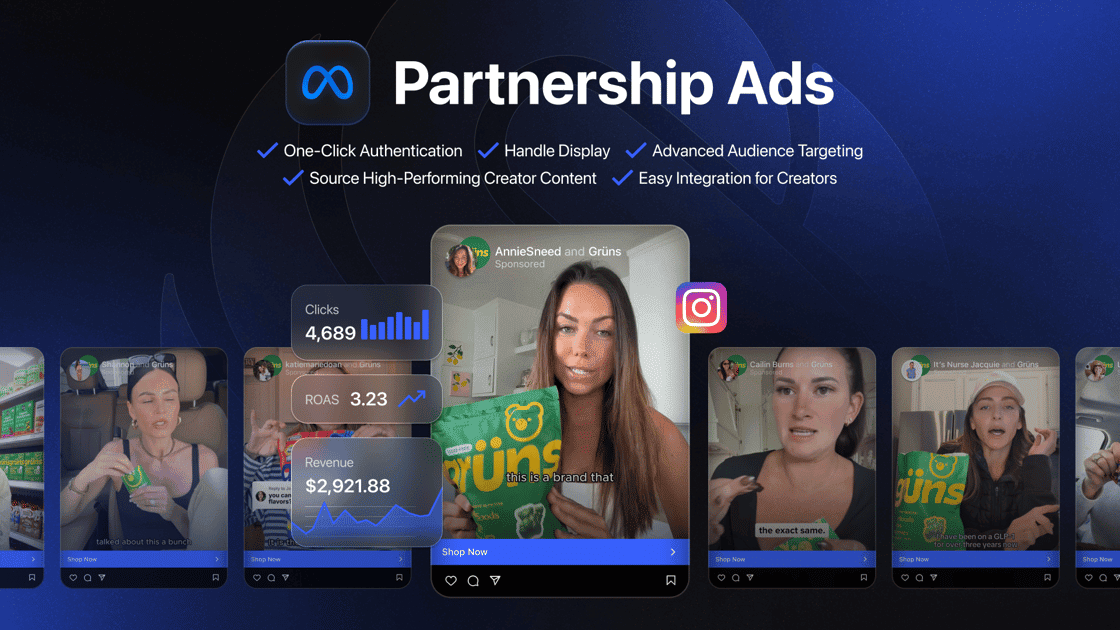
Meta Partnership Ads let brands put paid spend behind creator content and run those ads from the creator’s account.
Straightforward enough, but things get complicated when you want to run this with more than a few creator partners. Your team has to manage creator permissions, track which access each creator has granted, and keep up with the content available for paid use.
Social Snowball now lets you request and manage Meta Partnership Ads access directly in your dashboard with one-click.
This gives you a single place to manage creator partnerships and hand off creator content to your paid media team.
If you’re not sold on Partnership Ads, here’s a real-life example:
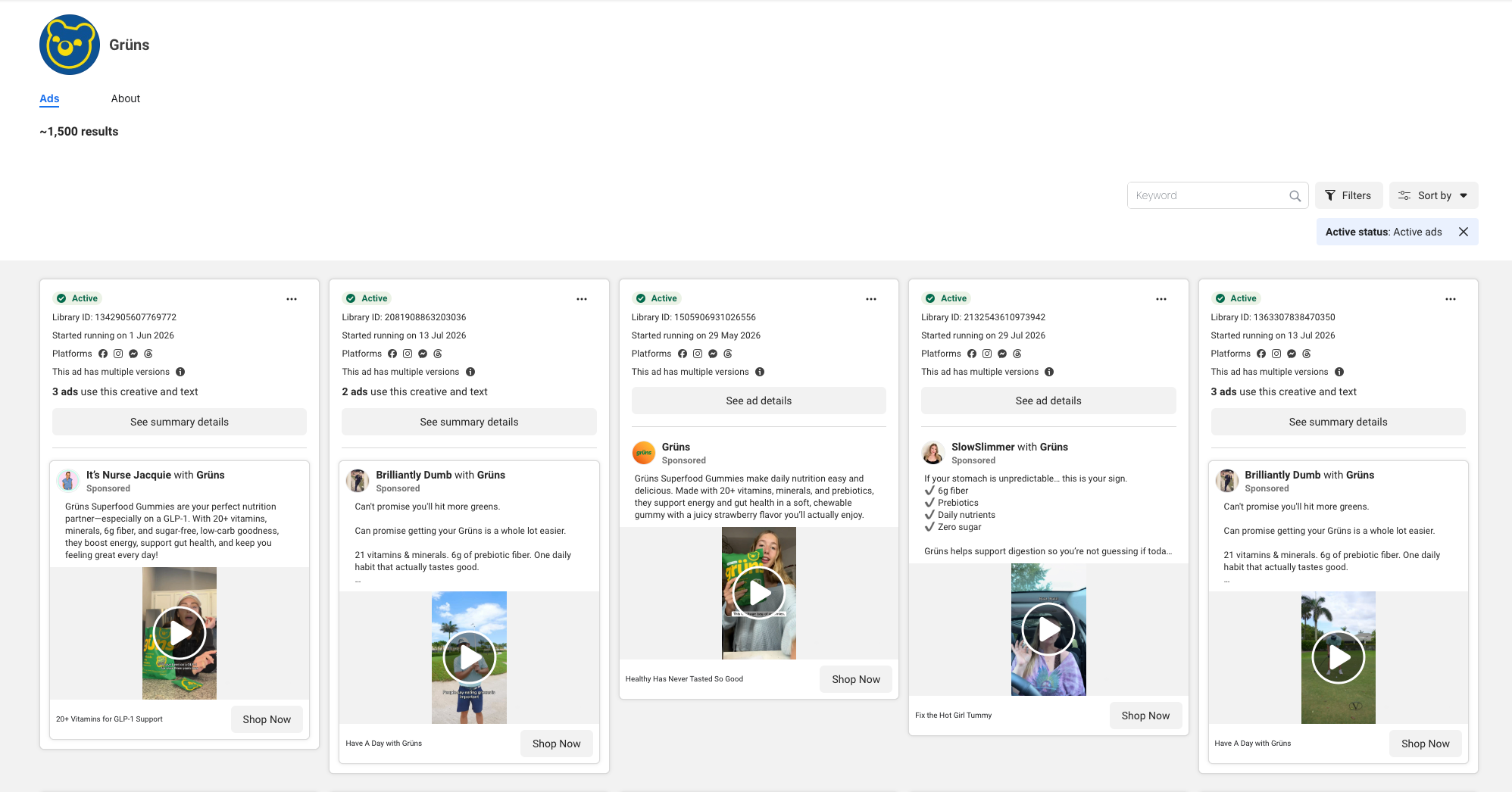
Grüns has ~1,500 active ads in their ad library at the time of writing this post. We took a sample of 613 ads, and 33% (203) of them aren’t from Grüns.
They’re from creators.
Accounts like It's Nurse Jacquie, Brilliantly Dumb, SlowSlimmer, and Fat Perez. 76 partners in total, each running ads under Grüns’ account.
These ads take different approaches to the same product. One creator talks about greens and nutrition while taking GLP-1s, another focuses on digestion and daily nutrition, and others create product demonstrations, direct testimonials, or offer-led creative.
77% of paid media marketers say creator content outperforms traditional branded ad creative. It makes perfect sense – UGC style content can feel more authentic, like a recommendation versus an ad. And when it comes from the creator's IG handle, it feels even more genuine.
Grüns didn’t just build an affiliate army. They built a creator-led growth engine.
The real unlock is when your creator marketing and growth marketing teams start feeding each other.
Your affiliates post organically → you take the best content and turn it into paid ads → then your media buyers figure out which creators, hooks, and angles actually work at scale → and those learnings feed right back into the next round of briefs for your creators.
But once you’re doing this across hundreds or thousands of creators, you need the infrastructure to actually run it – attribution, commissions, content management, all of it.
Meta Partnership Ads: The most effective way to scale creator content
Meta Partnership Ads let you run paid ads through a creator’s Instagram or Facebook account. To do that, you need permission from the creator.
Meta gives advertisers two permission levels:
- Content-level permissions give you access to specific posts, Reels, or Stories. This works well when you want to put spend behind a particular piece of creator content. Depending on the permission granted, you can promote tagged content or use a partnership ad code to run a specific post as an ad.
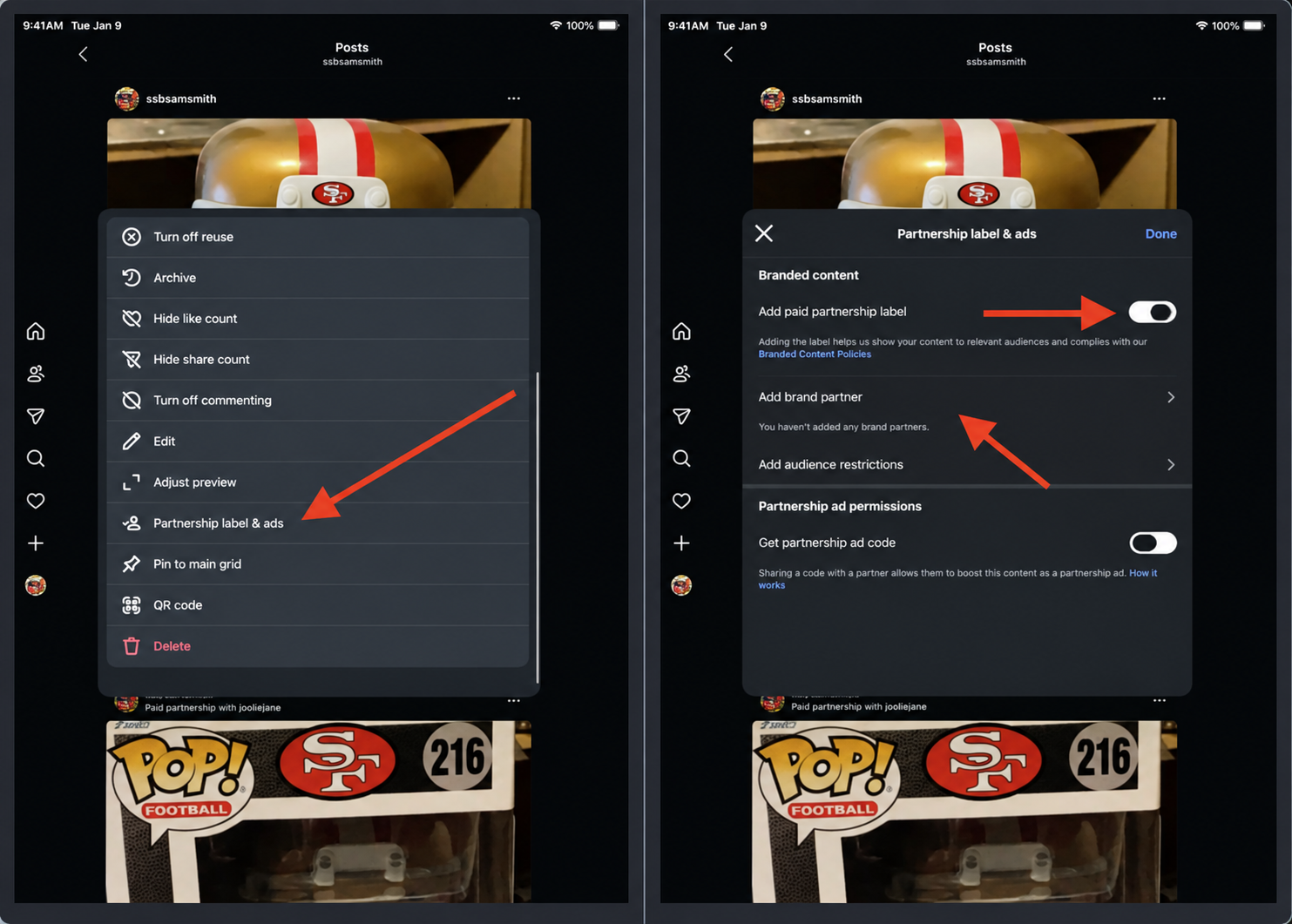
- Account-level permissions give you access across a creator’s account. You can create Partnership Ads from their handle, use eligible existing content, and avoid requesting approval for every individual piece of content. Meta also lets advertisers include or exclude a partner’s custom audience from a Partnership Ad campaign with account-level access.
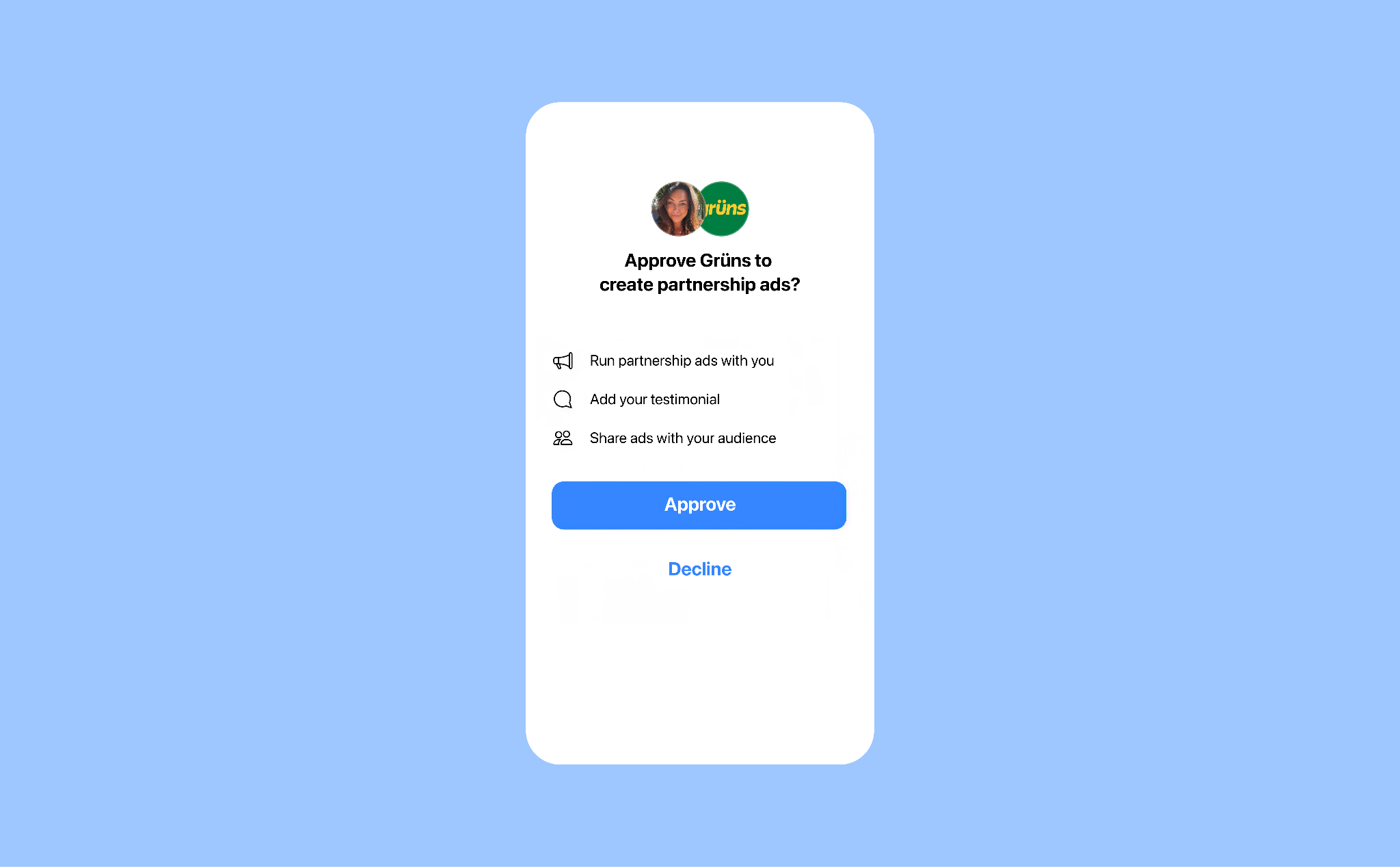
For a one-off campaign, content-level access may be all you need. If you work with affiliate creators on an ongoing basis, account-level access lets you use more of their content without requesting permission for each individual post.
With a large creator program, permissions become another operational detail to manage: who has granted access, what type of access they granted, and which content you can run as an ad.
The operational challenge: Managing Partnership Ads across the entire creator program
Running a Partnership Ad with one creator is relatively straightforward. Your workload increases when your team has to manage permissions and ad eligibility across dozens, even hundreds, of creator partners.
Your team needs to keep track of:
- Which creators have been granted access
- What level of access each creator has granted
- Which posts, Reels, or Stories are turned into paid ads
- Which creators still have pending requests
- Which creators need new or updated permissions
Meta sends permission requests to creators through Instagram, so your team also needs a reliable record of what each creator has approved. A creator might have granted access to their account, while another has only approved specific content. Those two relationships require different actions from your paid team.
Permissions can also change over time. You may need to request broader access from a creator for an ongoing campaign, remove access when a partnership ends, or check whether a particular post is eligible before putting spend behind it.
When your team has to manage these details manually through DMs and spreadsheets, every new creator adds another permission status and another set of content to keep track of. As your program grows, it becomes harder for paid media and creator teams to quickly see which creators are approved, what permissions they’ve granted, and which content is ready to run as ads.
How Social Snowball makes Meta Partnership Ads easier to manage
Meta Business Manager can often feel like a tangled web of complexities. Managing Partnership Ads across a large creator program means tracking permissions, eligible content, and creator access. And if you’re doing all of this inside Meta Business Manager, the process can get complicated fast.
Social Snowball lets you manage your Partnership Ads directly in your Social Snowball dashboard, alongside the rest of your creator and affiliate program.
From the Media tab, you can:
- Find ad-ready content: Filter your media by Ad Eligibility to see which creator posts are ready to be used for ads.
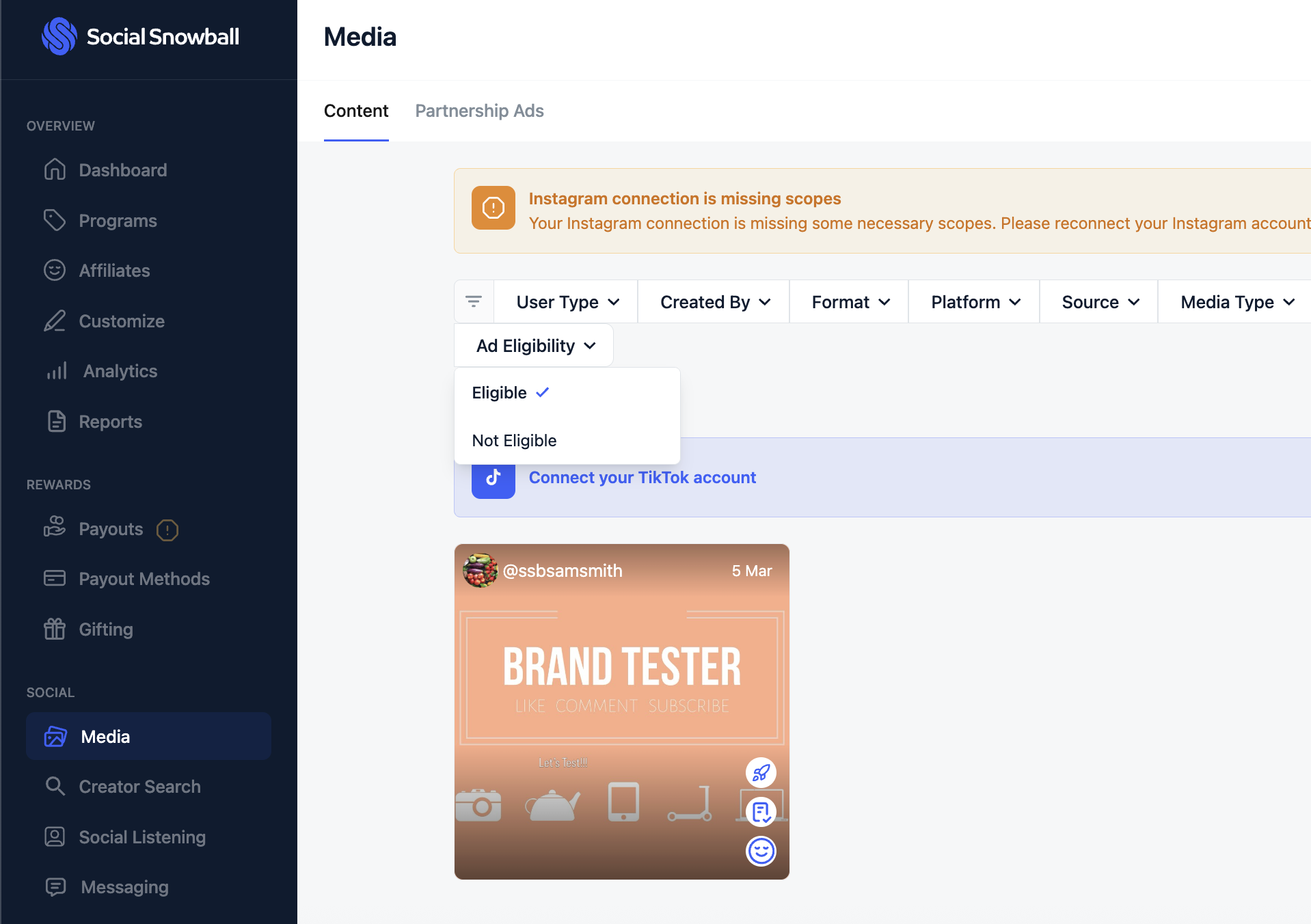
- Track creator permissions: Go to Media → Partnership Ads to see which creators have approved access and what type of access they’ve granted.
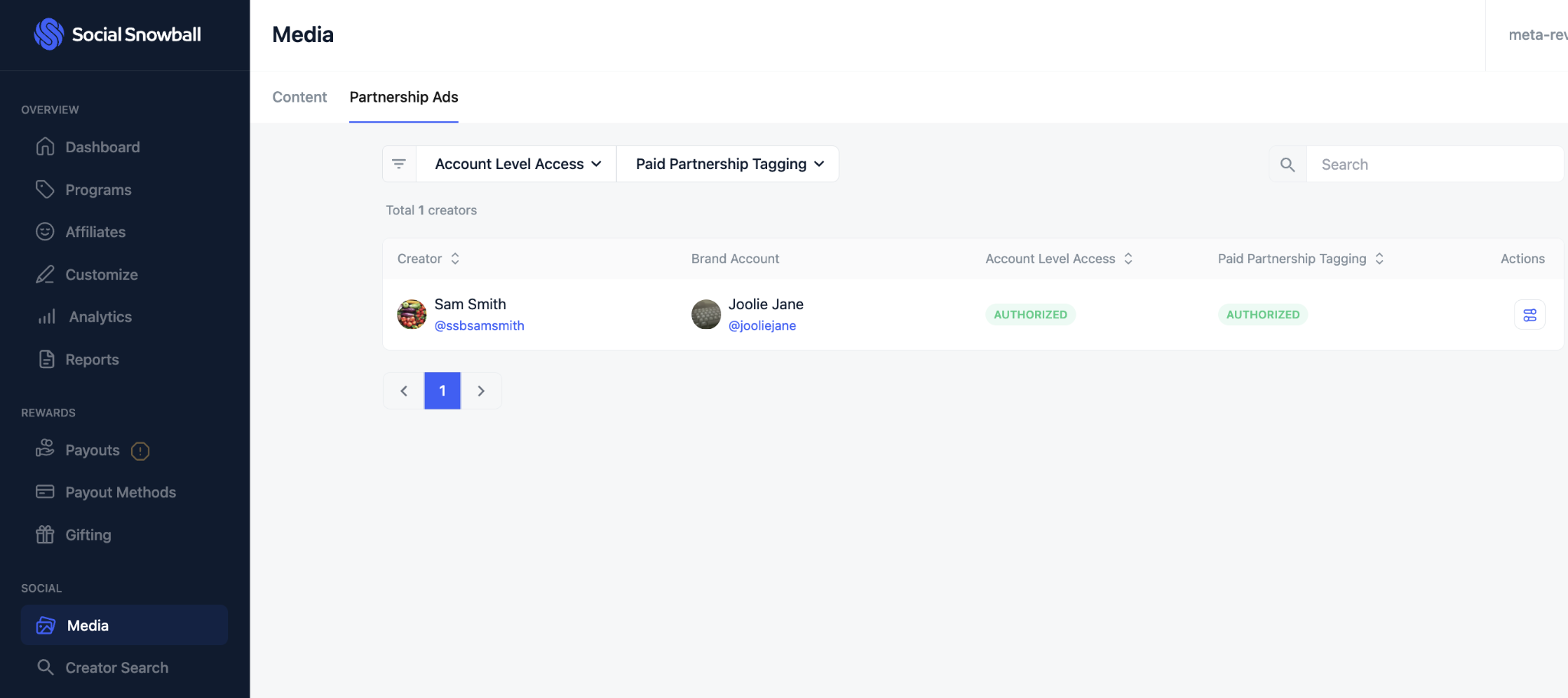
- Manage access: Filter creators by access type or Paid Partnership Tagging authorization, then update or remove access when needed.
How to get started with Meta Partnership Ads on Social Snowball
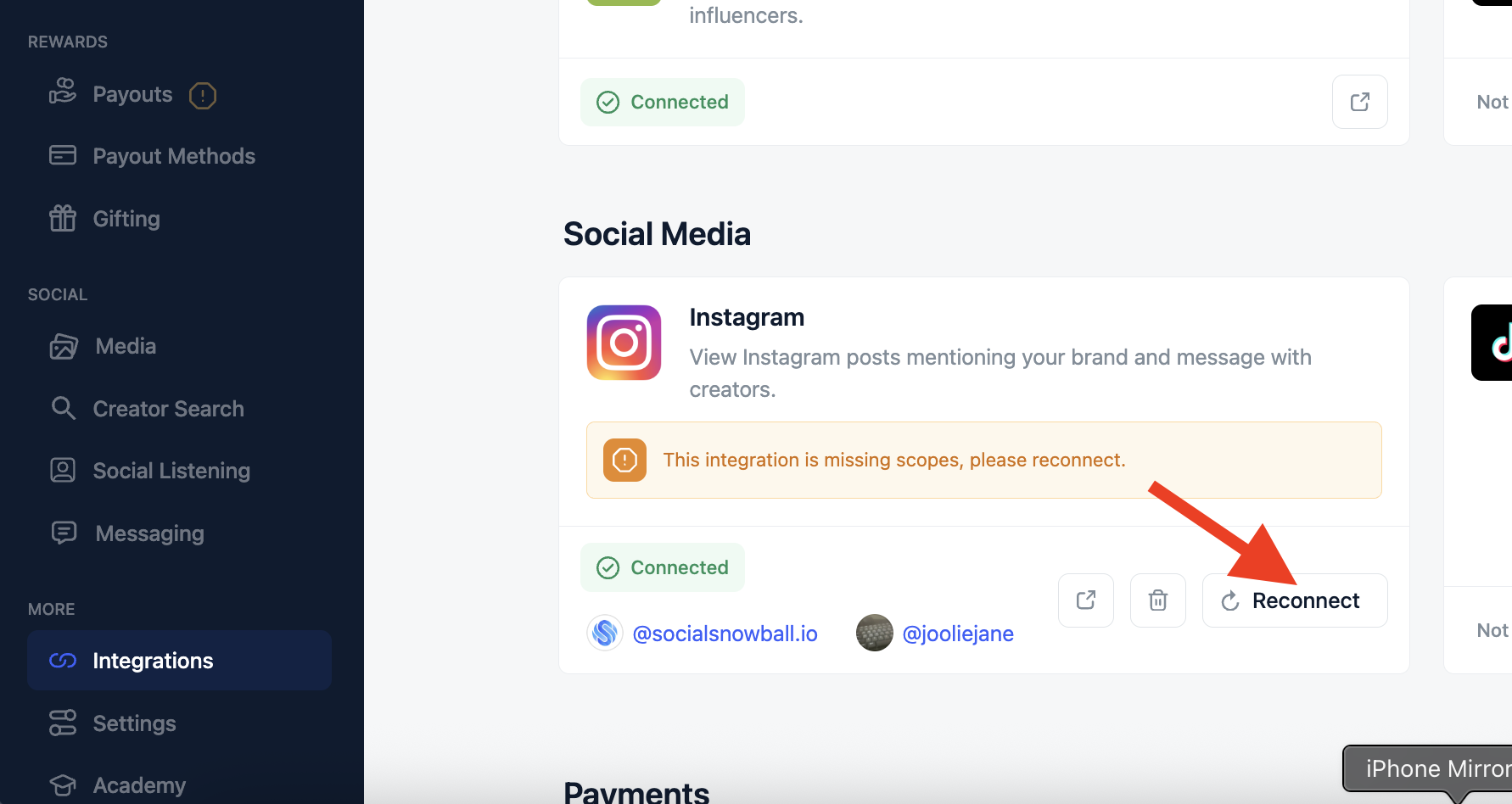
Before you can request Partnership Ads access, you need to connect Social Snowball to Instagram. Here is a detailed breakdown of how you can do this:
1. Enable Partnership Ads: Contact Social Snowball to enable Partnership Ads for your account. Then go to Integrations and click Reconnect under Instagram. This starts Meta’s authentication process and permits Social Snowball to send Partnership Ads requests on your behalf.
3. Request access from creator content: Once the feature is enabled:
- Open the Media tab in your Social Snowball dashboard
- Select the creator content you want to use
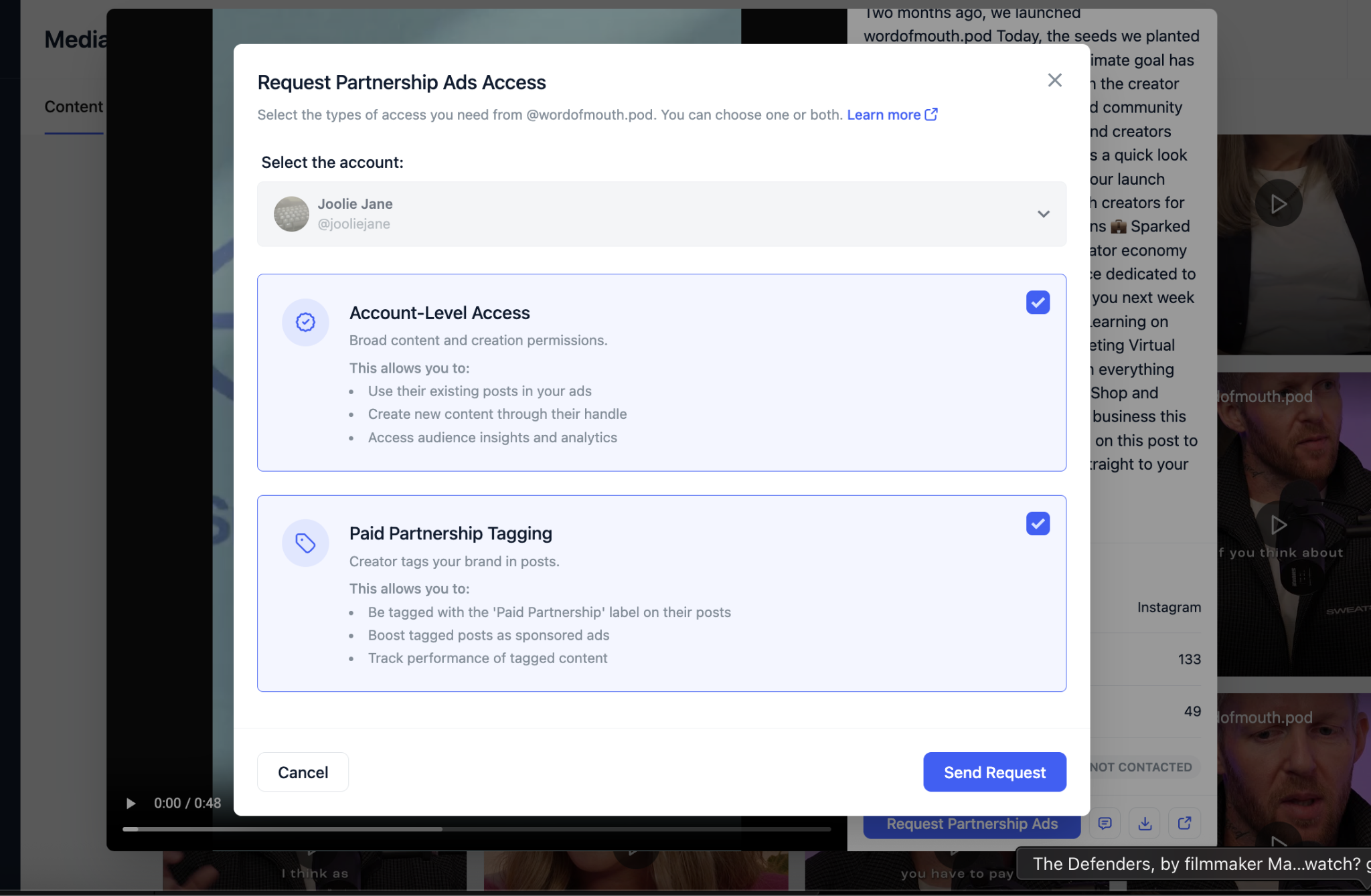
- Click Request Partnership Ads
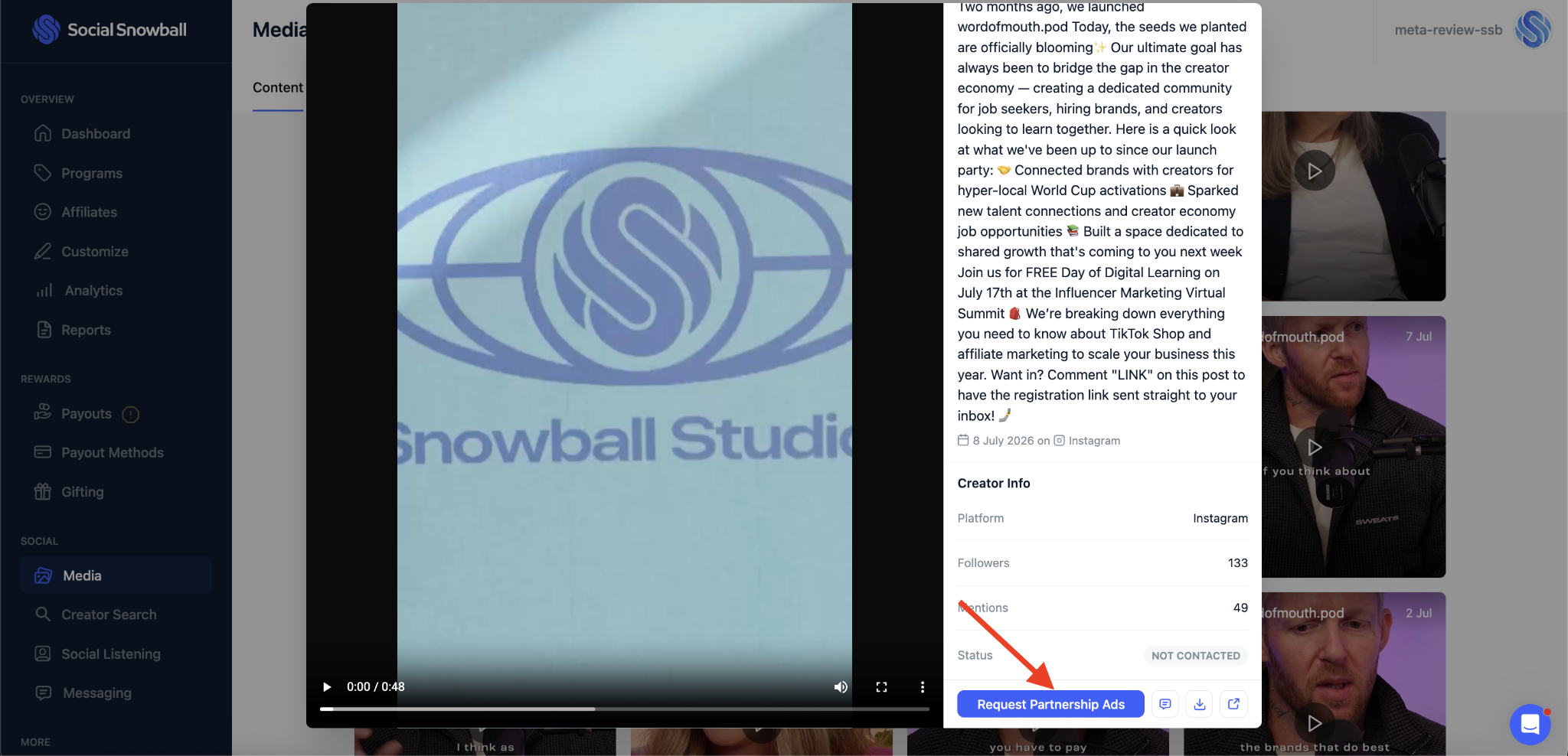
- Choose the permission type you need: Paid Partnership Tagging, Account-Level Access, or both.
- Click ‘Send Request.’ The request goes directly to the creator’s Instagram account.
2. Track approved creators and content: Once creators approve your requests, go to Media → Partnership Ads to see your approved creator relationships. You can filter them by access type or Paid Partnership Tagging authorization. Ad Eligibility in the Media tab helps you find content cleared for ads.
Want the full setup walkthrough? Read our help guide on Meta Partnership Ads
Turn your creator program into a paid creative engine
Your creator program can give your paid team a steady supply of new creative to test. Every creator gives you another product demo, testimonial, hook, or angle that you can plug into your creative testing flywheel.
Partnership Ads let you take creator content beyond the creator’s organic audience. Once a creator gives you access, your paid team can run high-performing content through the creator’s Instagram account and track its performance.
Recruit creators → collect their content → get the right ad access → put strong creative behind paid spend.
Social Snowball helps you manage that workflow alongside your affiliate program, so your team can manage creator partnerships, content, and Partnership Ads from the same place.
Ready to turn creator content into paid creative? Book a demo.